Chiroptera MT5 Expert Advisor Review | Multi-Currency Forex EA Setup Guide
Chiroptera MT5 Expert Advisor Review
Complete Chiroptera MT5 Expert Advisor review with multi-currency Forex trading details, single-trade execution, no grid, no martingale, backtesting screenshots, live signal examples and setup guidance.
Introduction
Chiroptera MT5 is a multi-currency Forex Expert Advisor designed for MetaTrader 5 traders who prefer selective execution, controlled risk and a more disciplined automated trading workflow.
Unlike many trading robots that rely on aggressive recovery techniques, Chiroptera focuses on individual trade execution, predefined Stop Loss and Take Profit levels, quiet-market trading conditions and adaptive market analysis.
This Chiroptera MT5 review explains how the EA works, what makes it different, its key features, setup considerations, screenshots, video walkthroughs and risk notes for traders evaluating it before use.

Quick Specifications
- Product: Chiroptera MT5 Expert Advisor
- Platform: MetaTrader 5
- Trading Type: Multi-currency Forex Expert Advisor
- Supported Symbols: Multiple Forex pairs
- Timeframes: Any timeframe supported
- Trading Style: Single-trade execution strategy
- Risk Style: No grid, no martingale, no averaging
- Prop Firm Compatibility: Designed with prop-firm style rules in mind
- VPS: Optional, but recommended for stable automation
How Does Chiroptera MT5 Work?
Chiroptera MT5 is designed around highly selective automated Forex trading. Instead of constantly entering the market or holding multiple recovery positions, the EA waits for specific market conditions and places individual trades with predefined risk parameters.
The system focuses on quieter trading periods, adaptive symbol selection, volatility monitoring and news-aware market filtering. This approach is designed to reduce exposure during unstable or chaotic market conditions.
- Multi-currency Forex market scanning
- Single-trade execution approach
- Quiet-market trading focus
- Real-time volatility analysis
- News and event filtering
- Adaptive learning behavior
- Predefined Stop Loss and Take Profit
Key Features and Benefits
Single-Trade Execution
Chiroptera MT5 executes individual trades rather than relying on large recovery baskets. This makes the trading structure easier to understand and helps avoid overexposure from stacked positions.
- No martingale position multiplication
- No grid recovery structure
- No averaging strategies
- Each trade has predefined risk control
Quiet Market Trading Conditions
Chiroptera primarily looks for opportunities during quieter, more stable trading periods. This may help reduce exposure to chaotic price movement and unpredictable volatility.
Smart Limit Order Execution
The EA uses limit-order style execution logic designed to reduce potential slippage and execution delays compared with more aggressive entry styles.
Real-Time Volatility Monitoring
Chiroptera continuously monitors volatility, price spikes, volume changes and unexpected market behavior before allowing a trade setup to proceed.
News and Event Filtering
The system evaluates economic events, holidays and market-impact conditions to avoid trading during unstable periods.
Adaptive Learning Technology
Chiroptera uses adaptive decision logic to evaluate which symbols and conditions have been performing better over time. This helps the EA refine its trading behavior as market data develops.
Mobile Notifications
Users can receive MetaTrader 5 mobile notifications about trading activity, account updates and EA performance monitoring.
Chiroptera MT5 Video Review
Watch the Chiroptera MT5 short review and walkthrough below:
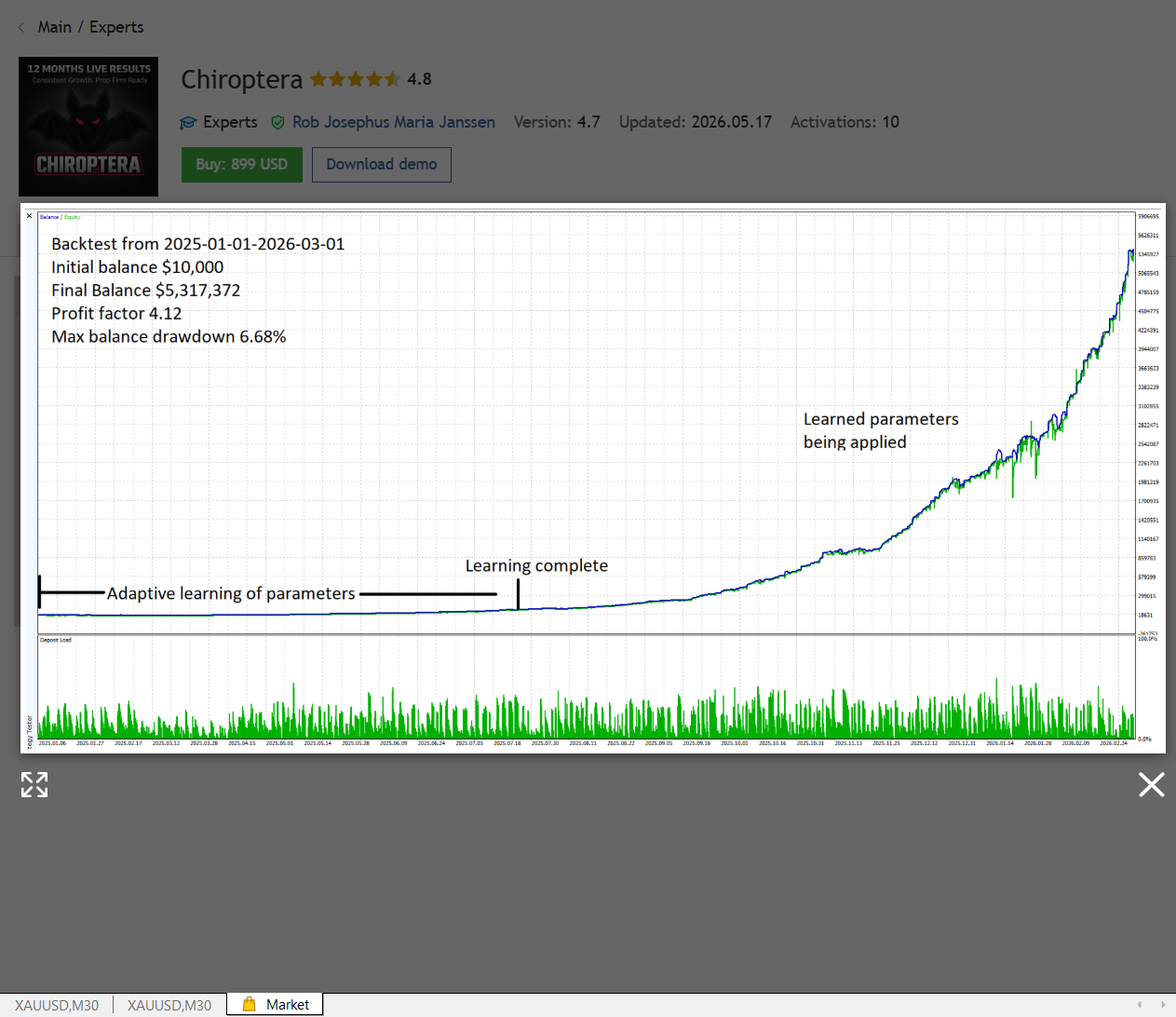
Chiroptera Backtest Chart
Backtesting charts can help traders understand how an Expert Advisor behaved during historical market conditions. They are useful for research, but they should never be treated as a guarantee of future results.
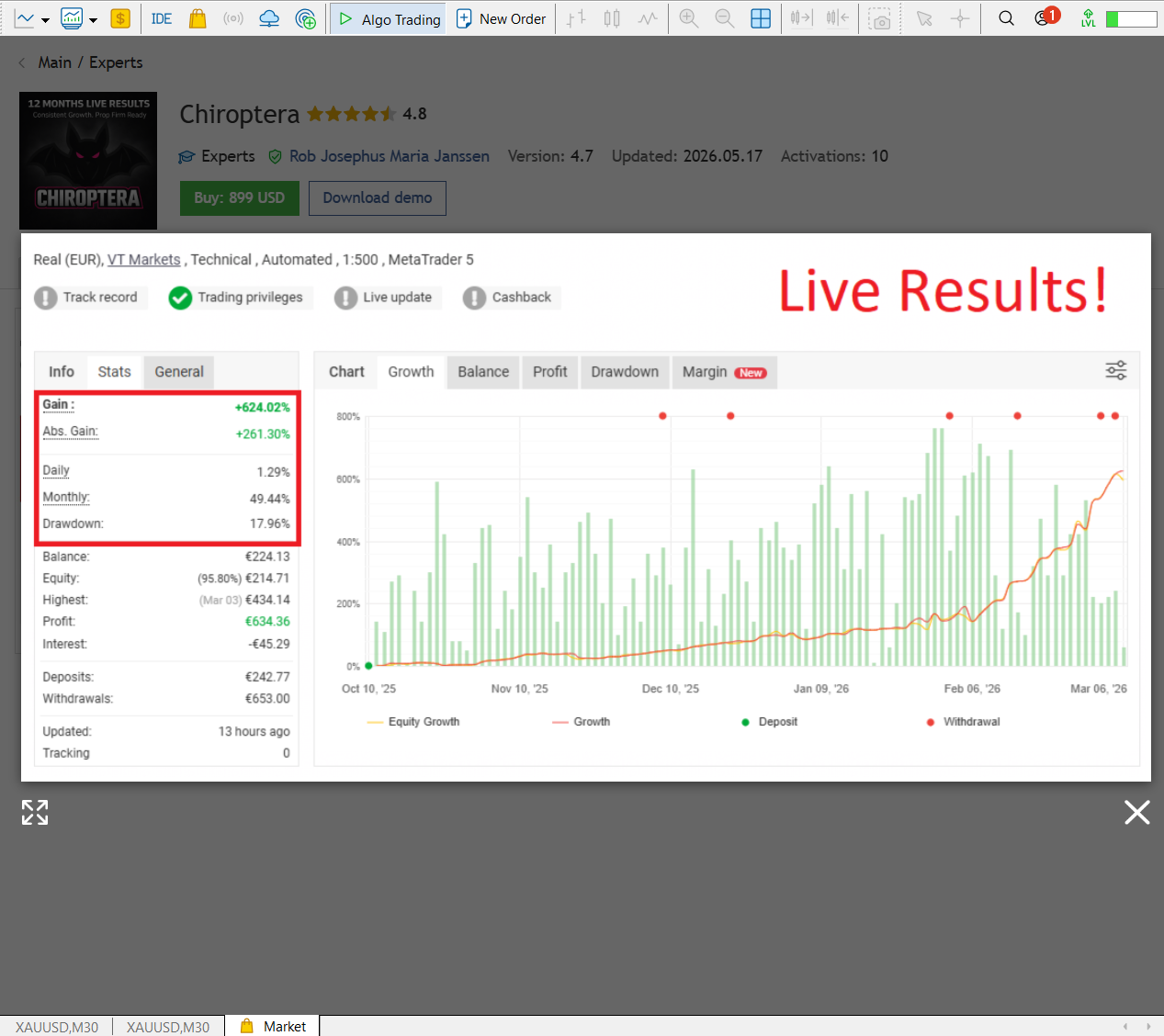
Chiroptera Live Signal Example
Live signal examples can provide additional context beyond historical backtesting. Traders should still remember that live trading results can change as market conditions evolve.
Instant Download ZIP File Content
After purchase or download, the product package is delivered as a ZIP file. Inside the ZIP package, traders can usually find the Expert Advisor file, preset files, installation materials, version folders or supporting setup resources depending on the specific product.
The screenshot below shows an example of the Chiroptera EA MT5 ZIP file content for instant download reference.
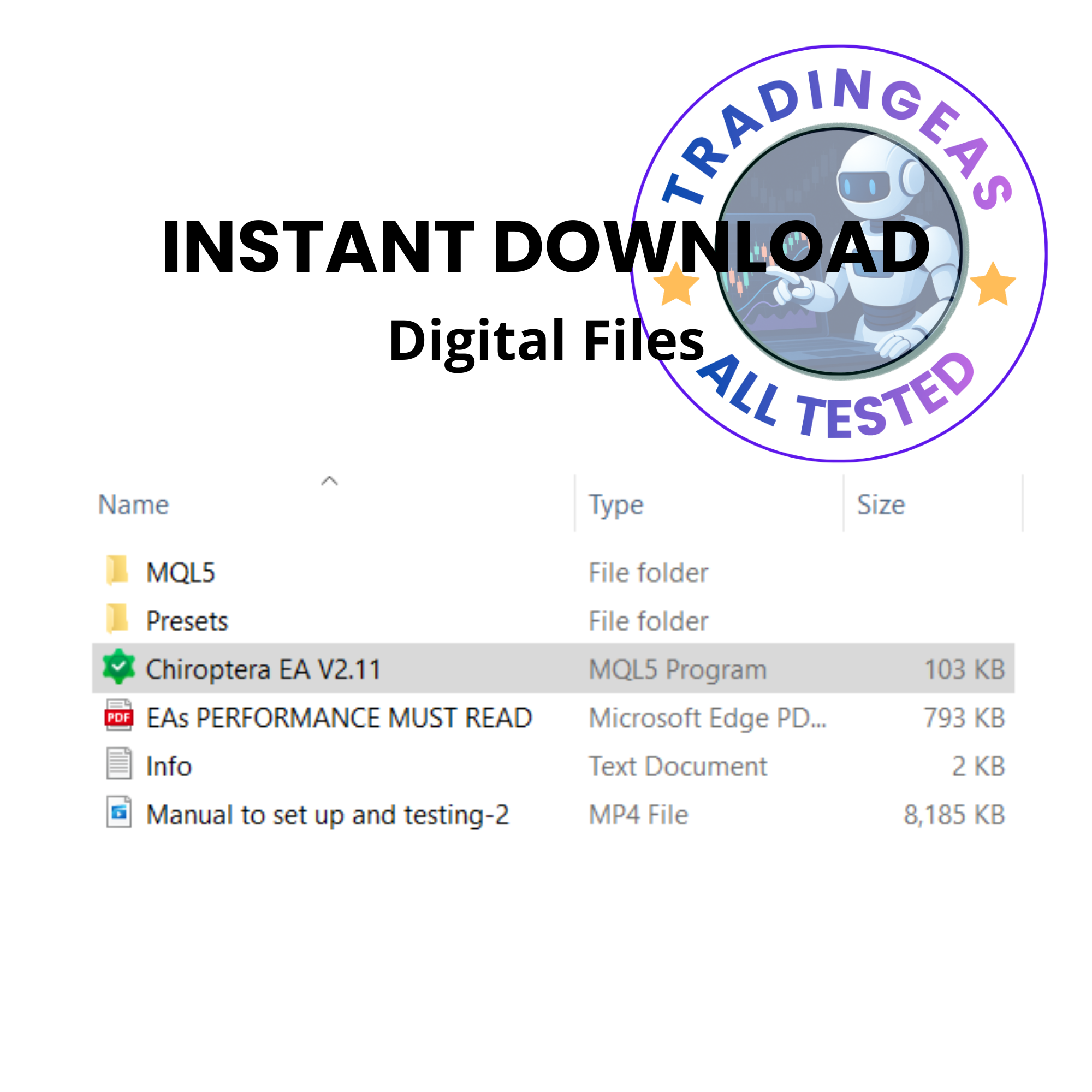
Always extract the ZIP file first before installing the EA into MetaTrader. Review the included files carefully, load the correct version for your platform, and test the Expert Advisor on a demo account before using it on a live trading account.
Chiroptera EA Review Screenshot
Additional review visuals can help traders understand the product presentation, performance context and testing environment.

Additional Chiroptera MT5 Video
Here is another Chiroptera MT5 video covering setup, testing or performance discussion:
Pros and Cons
Advantages
- Multi-currency Forex trading support
- Designed for MetaTrader 5
- No grid system
- No martingale approach
- No averaging recovery structure
- Single-trade execution style
- Quiet-market trading focus
- News and volatility-aware filtering
- Prop-firm style risk philosophy
Limitations
- Requires MetaTrader 5
- May trade less frequently than aggressive EAs
- Results depend on broker and market conditions
- Still requires demo testing before live trading
- Adaptive systems can behave differently over time
- No Expert Advisor can guarantee profit
Recommended Trading Environment
Before using Chiroptera MT5, traders should make sure their MetaTrader 5 environment is stable and suitable for automated Forex trading.
- Use MetaTrader 5
- Test on demo before live trading
- Use a broker with stable execution and reasonable spreads
- Consider a VPS for uninterrupted operation
- Start with conservative risk settings
- Monitor trading performance regularly
- Review symbol behavior and trading frequency over time
Related Expert Advisor Reviews
Looking for more automated trading systems? Compare these popular MT5 Expert Advisors:
Compare More Forex Trading EAs
Looking for other automated Forex trading systems? Explore these MT5 Expert Advisors:
Important Risk Notice
Automated Forex trading involves risk. Expert Advisors can experience drawdown, losing periods, slippage, execution issues and unexpected market behavior. Always test Chiroptera MT5 on a demo account first and use responsible risk settings before considering live trading.
Product Links
- Chiroptera MT5 Expert Advisor Product Page
- TopTradingEAs Best Sellers
- Browse All Trading EAs
- TopTradingEAs Blog Home
Frequently Asked Questions
What is Chiroptera MT5?
Chiroptera MT5 is a multi-currency Forex Expert Advisor designed for automated trading on MetaTrader 5.
Does Chiroptera MT5 use martingale?
No. Chiroptera MT5 is positioned as a no-martingale Expert Advisor.
Does Chiroptera use grid trading?
No. Chiroptera does not rely on grid recovery systems or averaging strategies.
What makes Chiroptera different from aggressive Forex robots?
Chiroptera focuses on single-trade execution, quiet-market conditions, news filtering, volatility monitoring and predefined risk parameters instead of high-risk recovery techniques.
Is Chiroptera suitable for prop firm traders?
Chiroptera is designed with prop-firm compatibility in mind, but traders should always check their specific prop firm rules before using any Expert Advisor.
Can Chiroptera guarantee profit?
No. No Expert Advisor can guarantee profit. Automated trading always involves risk.
Ready To Explore Chiroptera MT5?
Explore Chiroptera MT5 for multi-currency Forex automation, or browse more Expert Advisors from the TopTradingEAs store.