Wave Rider EA Review 2026: XAUUSD Backtests, Comparison and Final Verdict
Wave Rider EA Review: XAUUSD Backtests and Final Verdict
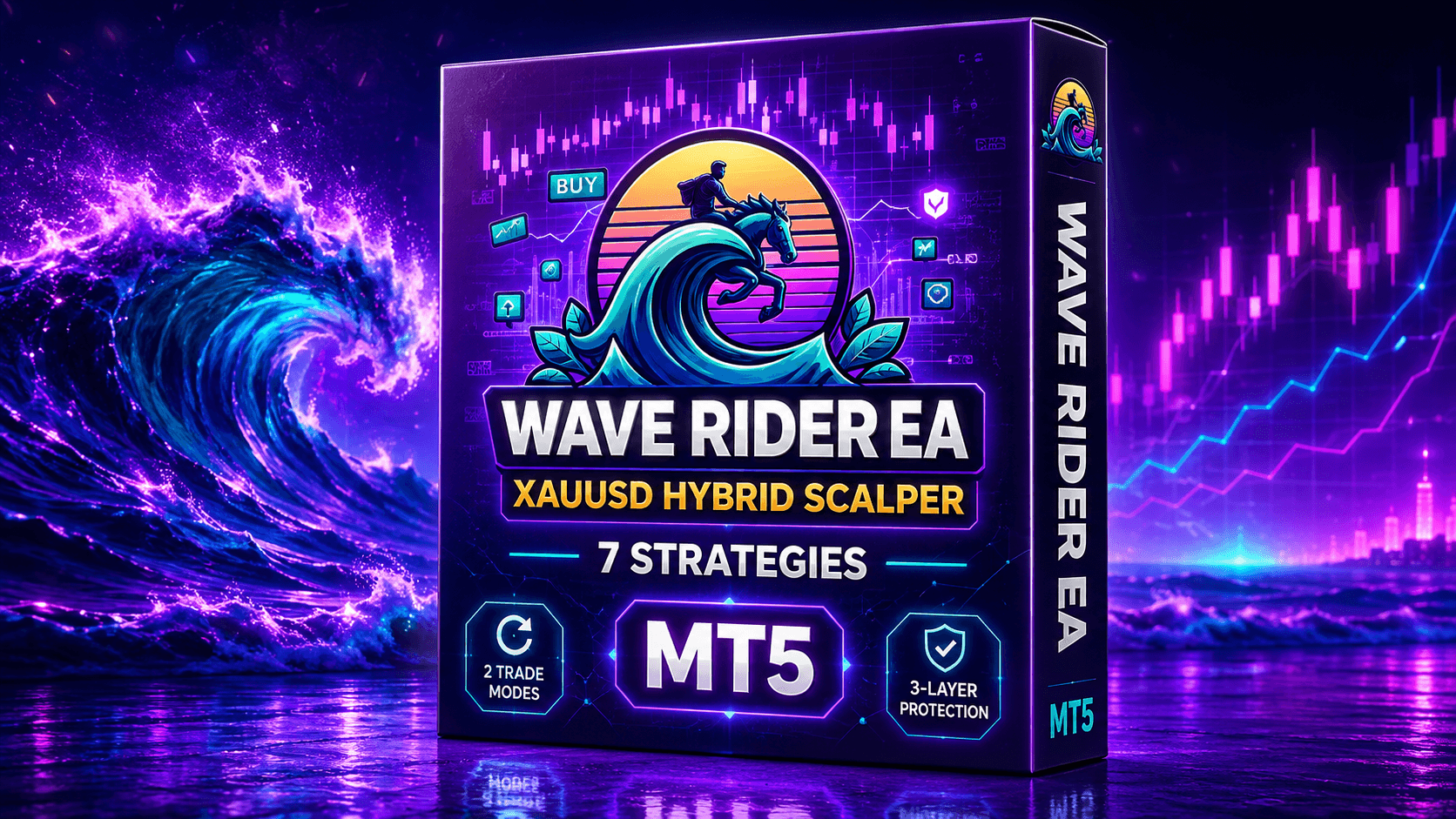
We examine Wave Rider EA MT5’s seven-strategy gold system, multi-timeframe filtering, Recovery Grid and Single Position modes, historical backtests, and comparison with Quantum Queen X.
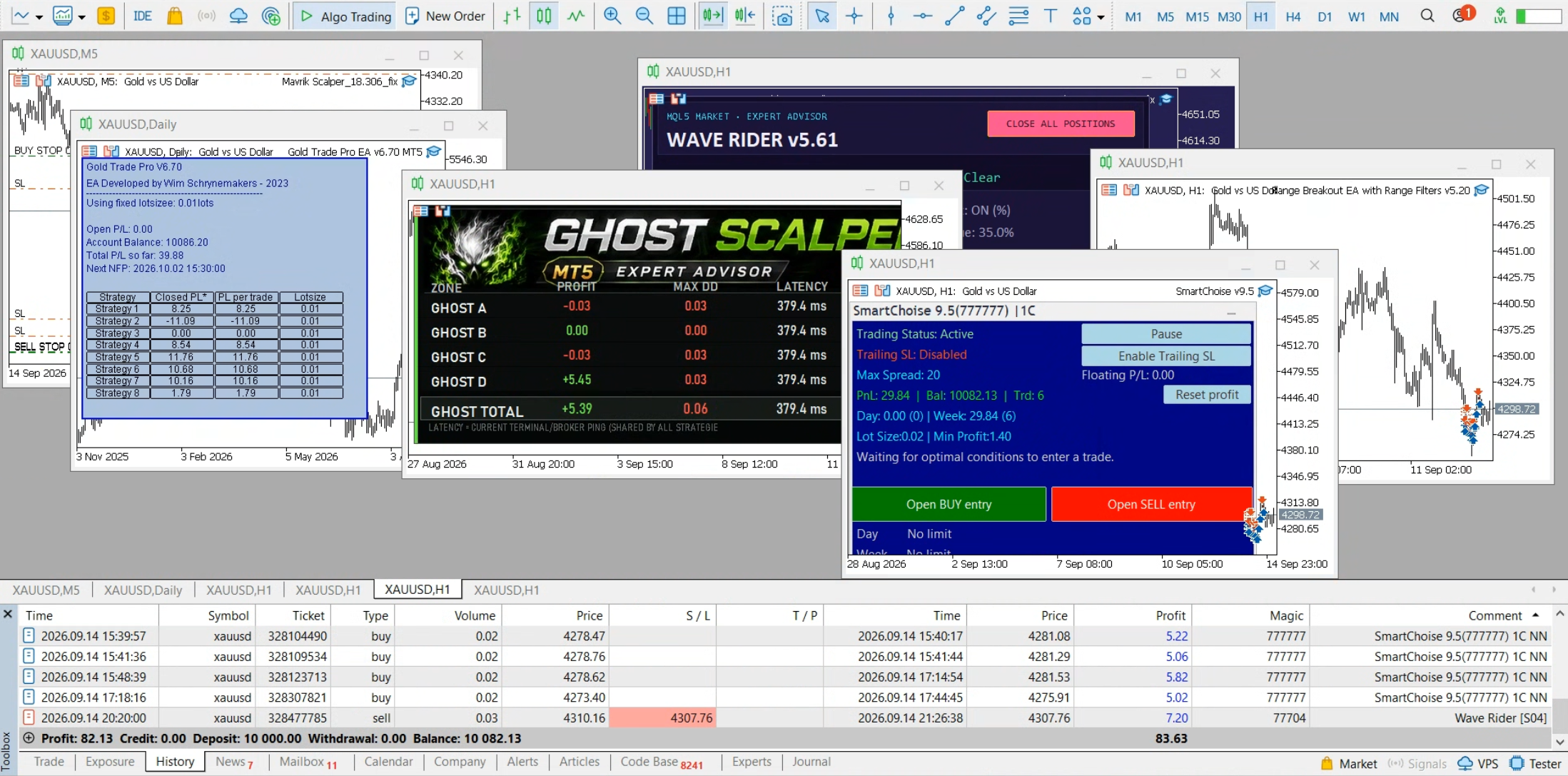
Watch the Full Wave Rider EA Review
This video covers Wave Rider’s trading logic, its one-month and six-month MT5 backtests, the six-month comparison with Quantum Queen X, and our final risk-focused verdict.
Wave Rider EA at a Glance
Market
XAUUSD gold only.
Platform
MetaTrader 5, with H1 trend analysis and lower-timeframe confirmation.
Strategy
Seven gold setup engines operating within one Expert Advisor.
Trade Modes
Recovery Grid or Single Position with individual Stop Loss and Take Profit.
Main Strength
Multi-strategy entries supported by layered trade and account protection.
Main Concern
Recovery Grid mode can hold multiple positions and increase total exposure.
Wave Rider EA Review Summary
Wave Rider EA is an automated XAUUSD trading system for MetaTrader 5. It combines seven strategy engines rather than depending on a single entry pattern. The system uses the H1 chart to assess the broader trend and can use M5, M15 and M30 information to confirm eligible setups.
Users can choose between two distinct position-management approaches. Single Position mode manages an individual trade with Stop Loss and Take Profit controls. Recovery Grid mode can add positions and manage them as a coordinated recovery sequence. These modes should not be treated as having the same risk profile.
The EA also includes drawdown protection, all-time-high protection and dynamic exit management. These controls can help define how the system reacts to adverse movement, but they cannot remove the risks created by gold volatility, gaps, spreads, slippage or multiple-position exposure.
How Wave Rider EA Trades Gold
Wave Rider is designed specifically for XAUUSD and combines seven strategy engines inside one Expert Advisor. Its general process begins with the broader H1 trend, checks lower-timeframe conditions, selects an eligible setup and then manages the position using the chosen trade mode.
1. Assess the Main Trend
The EA uses H1 market direction as its broader context. This is intended to reduce entries that conflict with the prevailing gold trend.
2. Confirm the Setup
Depending on the active strategy, information from M5, M15 or M30 can be used to confirm momentum, structure, volatility or price behaviour.
3. Select a Strategy Signal
Seven engines target different conditions, including support and resistance, pullbacks, breakouts, bounces, volume and momentum setups.
4. Manage the Position
The same entry framework can feed either Recovery Grid management or Single Position management with Stop Loss, Take Profit and trailing.
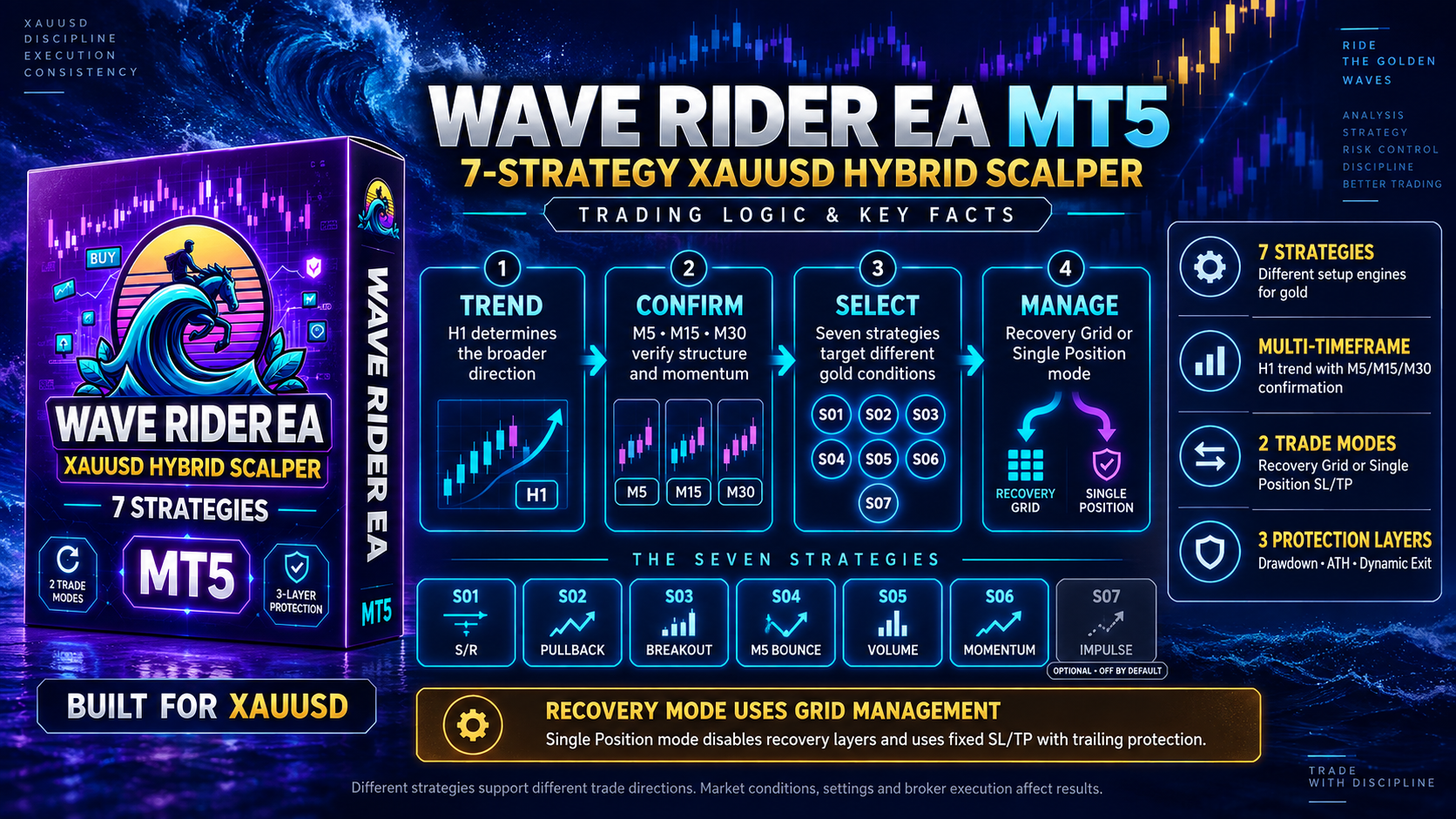
The Seven Strategy Engines
Each engine targets a different type of XAUUSD setup. Users can run the available strategies together or disable individual engines to create a more selective configuration.
S01 — Support and Resistance
Uses multi-timeframe swing information to identify reaction zones and filter possible entries.
S02 — Pullback
Searches for retracements and momentum shifts across lower timeframes.
S03 — Trend Breakout
Looks for price to leave consolidation with supporting directional momentum.
S04 — M5 Bounce
Evaluates short-term bounce conditions using momentum, strength and candle behaviour.
S05 — Smart-Money Volume
Examines volume and candle spread for selected supply-and-demand behaviours.
S06 — Momentum Continuation
Uses separate Buy and Sell logic to follow developing M15 momentum.
Two Trade Modes with Different Risk Profiles
Recovery Grid
The default mode can add positions when price moves adversely and manage the combined basket toward a coordinated exit. Four recovery profiles are described: Wide Slow, Wide Fast, Static and Hybrid.
Single Position
This mode disables recovery layers and manages one position using a fixed Stop Loss, fixed Take Profit and trailing protection.
Protection and Operating Controls
Drawdown Protection
Can close recognized Wave Rider positions and pause trading when the configured daily threshold is reached.
ATH Protection
Can restrict new entries when XAUUSD is trading near a configured all-time-high zone.
Dynamic Exit
Monitors for rapid adverse price movement and can request closure of open Wave Rider positions.
News Protection
Can pause new entries around selected high-impact events and USD bank holidays.
Position Sizing
Supports fixed lots, automatic balance-based sizing and a customizable scaling ratio.
Entry Profiles
Cautious, Balanced and Aggressive profiles adjust entry selectivity separately from lot sizing.
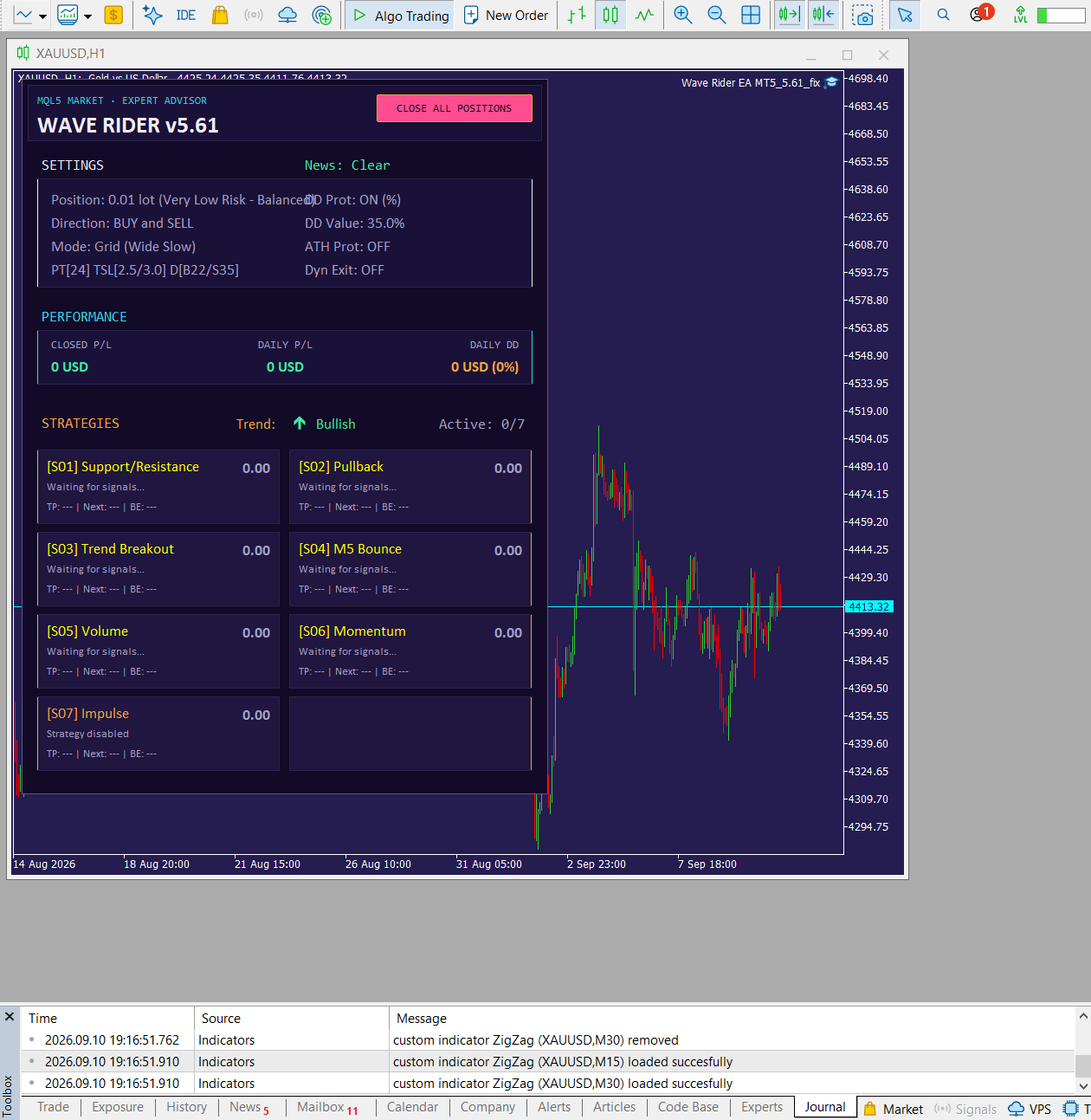
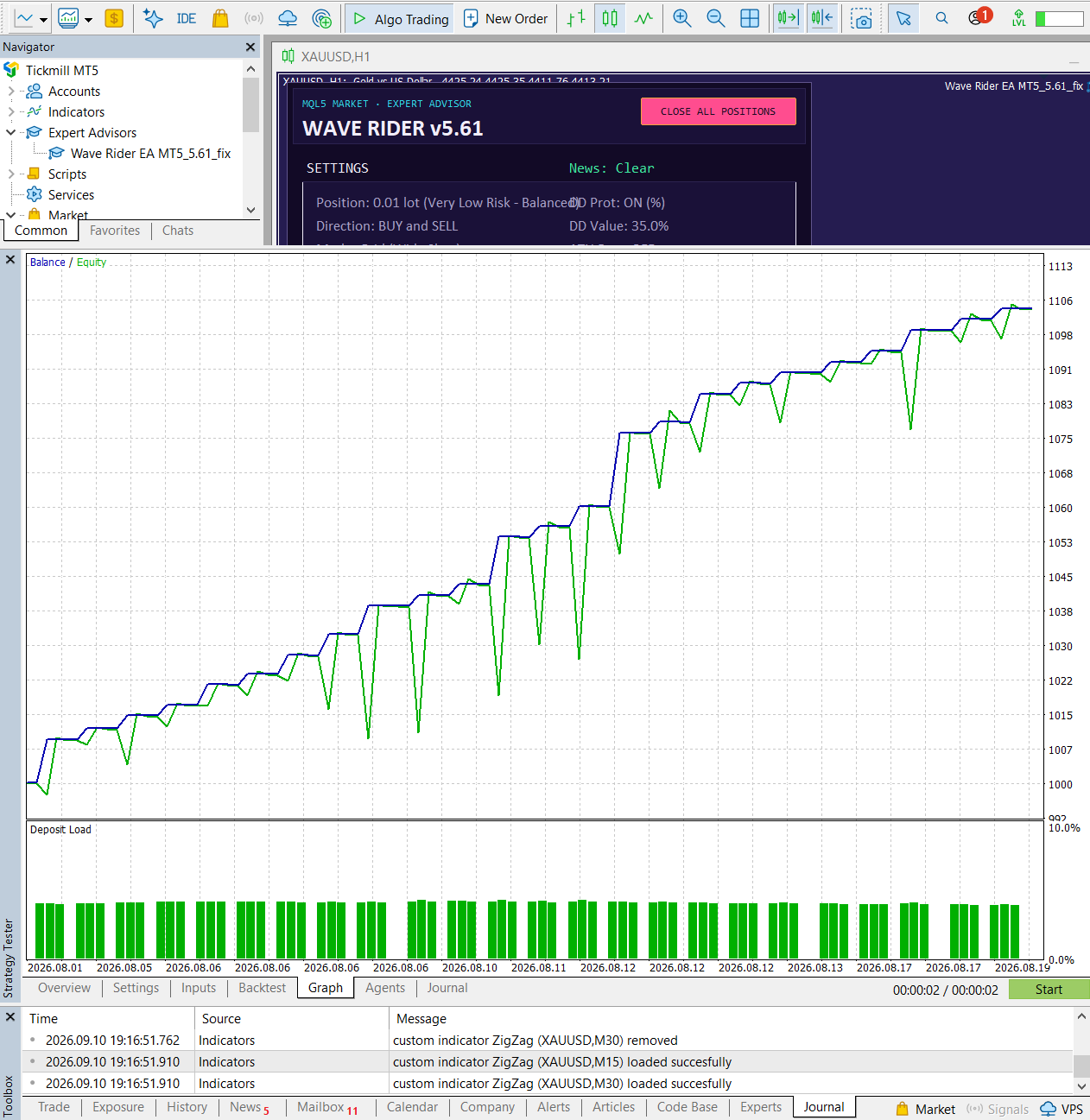
One-Month Wave Rider Backtest
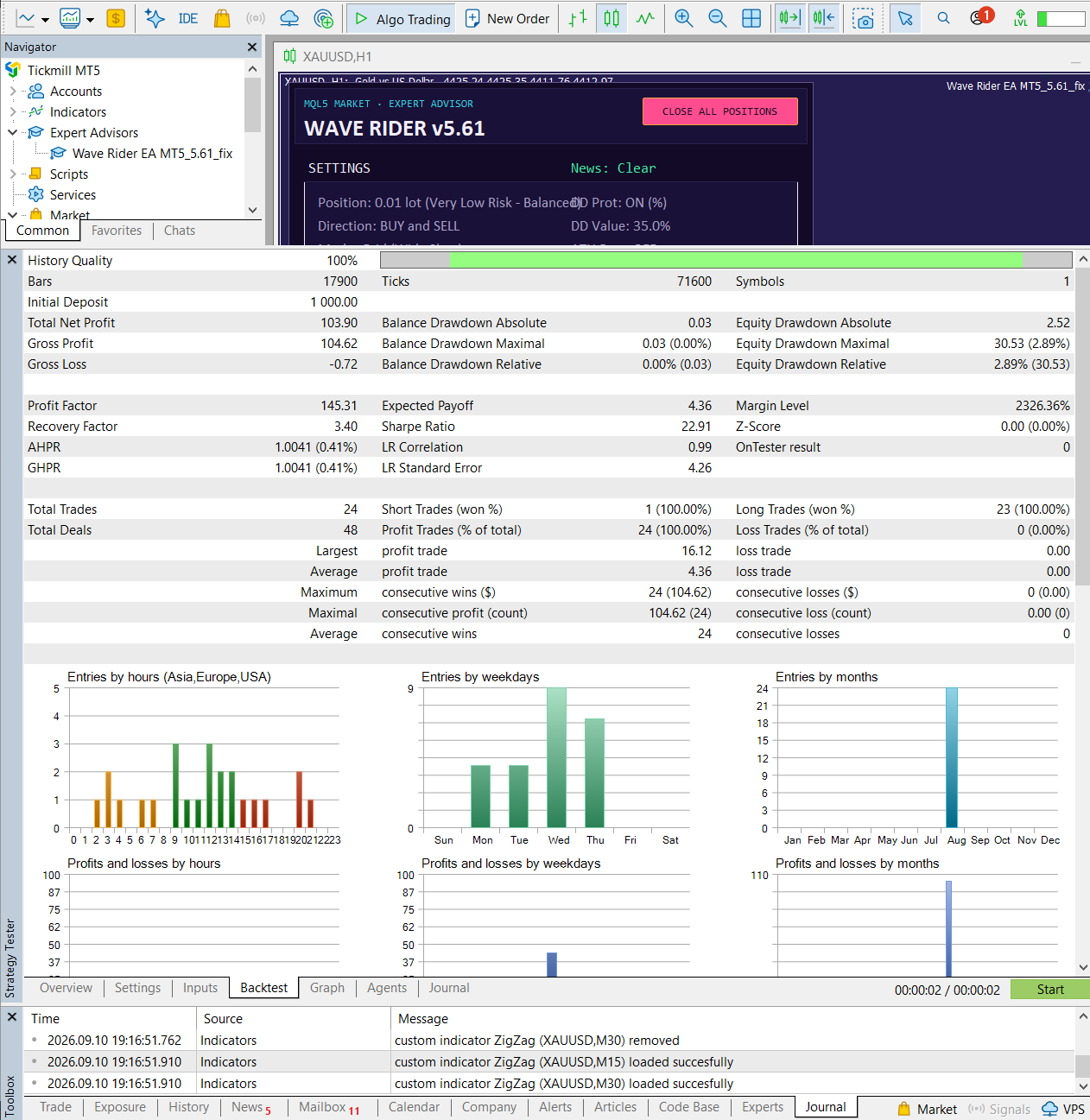
The shorter MetaTrader 5 test used XAUUSD, an initial deposit of $1,000, fixed 0.01-lot sizing and the supplied Very Low Risk–Balanced configuration. The report displayed 100% history quality and recorded 24 completed trades.
One-Month Results at a Glance
Six-Month Validation Test
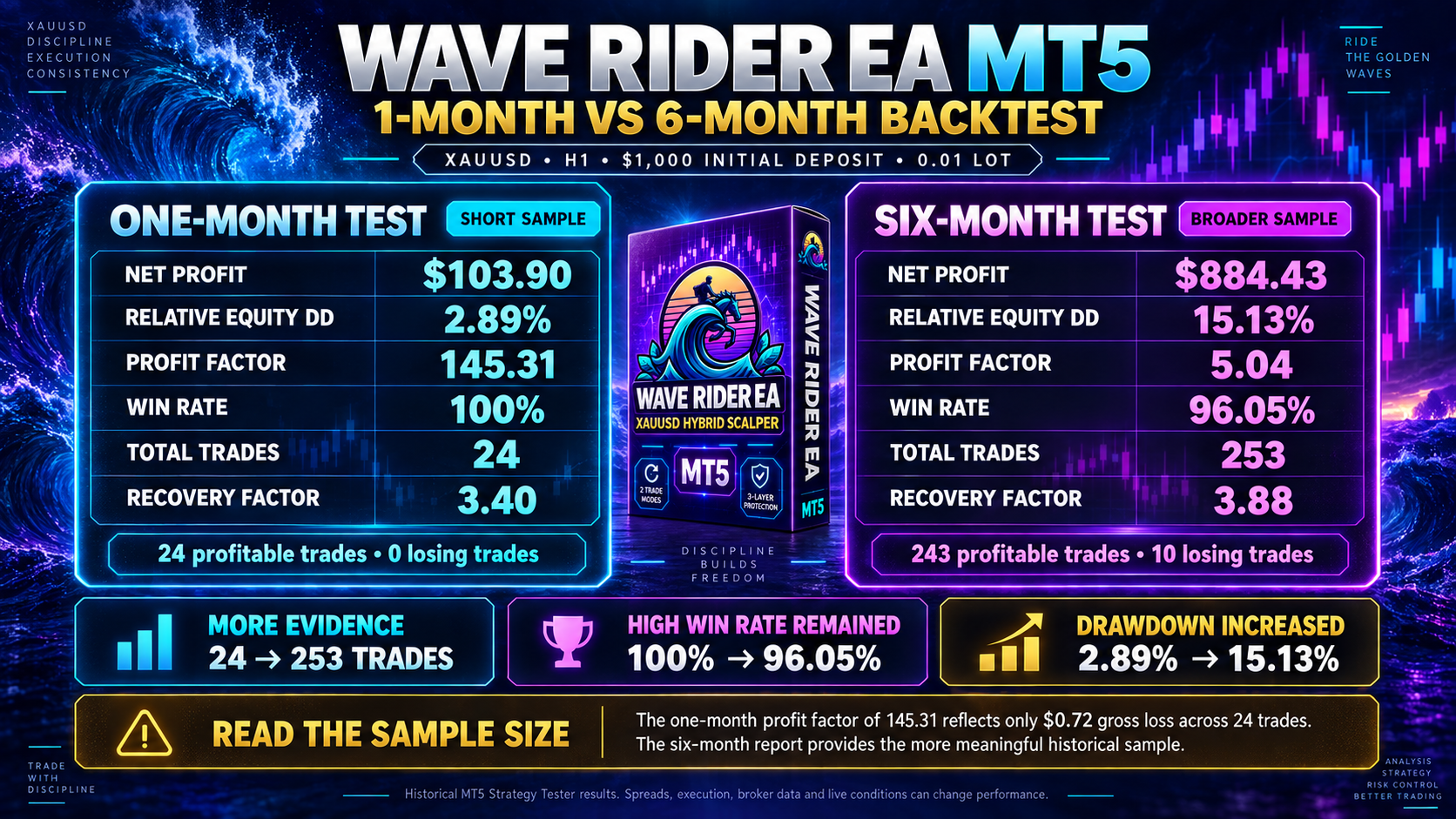
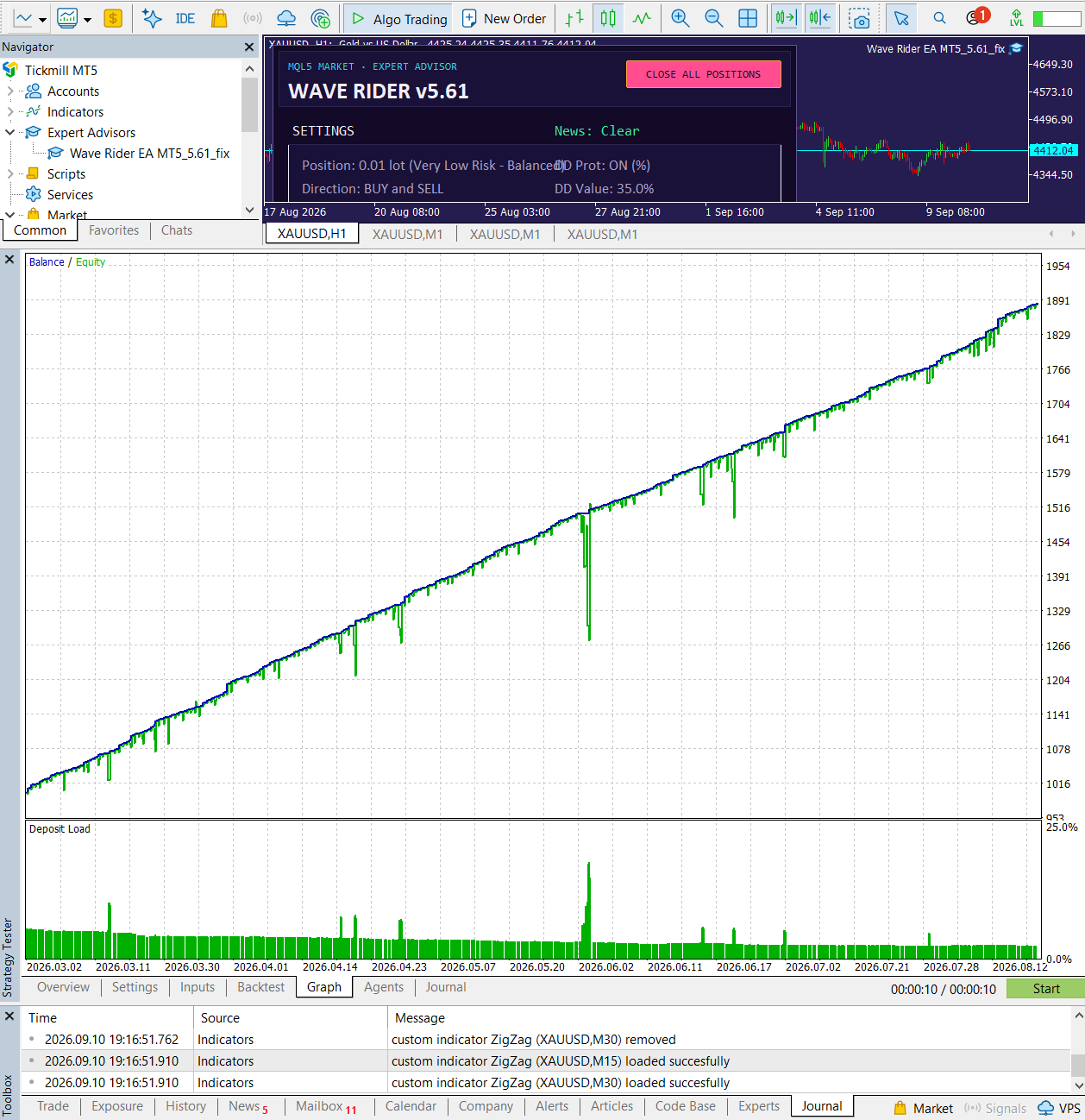
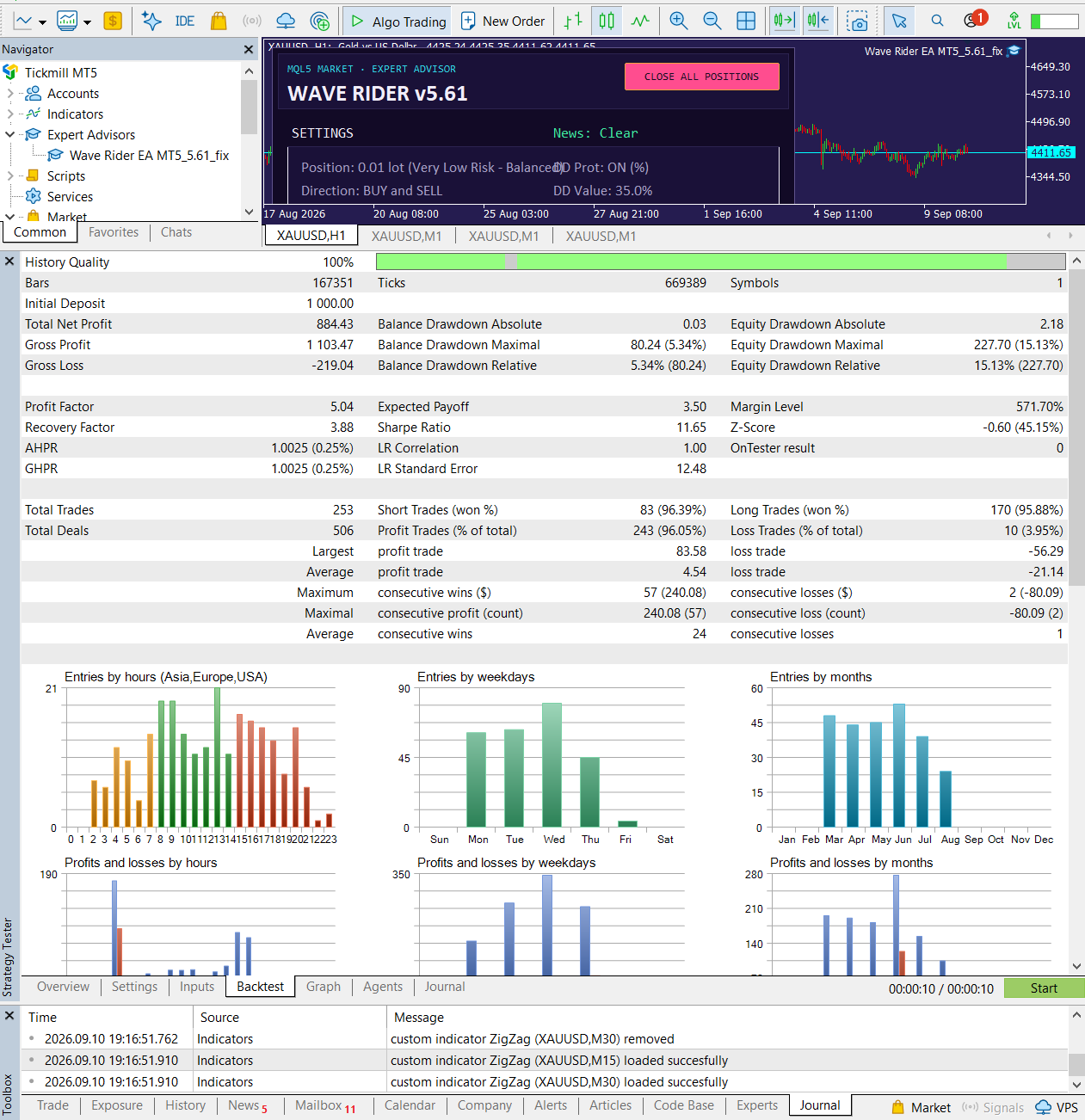
The longer Wave Rider report used the same visible $1,000 starting deposit and fixed 0.01-lot approach. It expanded the sample to 253 trades, including 243 profitable trades and 10 losing trades. That makes it more informative than the one-month result, although it remains a historical simulation.
Six-Month Results at a Glance
| Metric | One Month | Six Months |
|---|---|---|
| Net Profit | $103.90 | $884.43 |
| Relative Equity Drawdown | 2.89% | 15.13% |
| Profit Factor | 145.31 | 5.04 |
| Win Rate | 100% | 96.05% |
| Total Trades | 24 | 253 |
| Recovery Factor | 3.40 | 3.88 |
Drawdown increased as the testing window expanded and more market conditions were encountered. The six-month profit factor of 5.04 and 96.05% win rate remained strong historically, but the 15.13% relative equity drawdown gives a more realistic indication of the risk observed in this supplied test.
Wave Rider vs Quantum Queen X
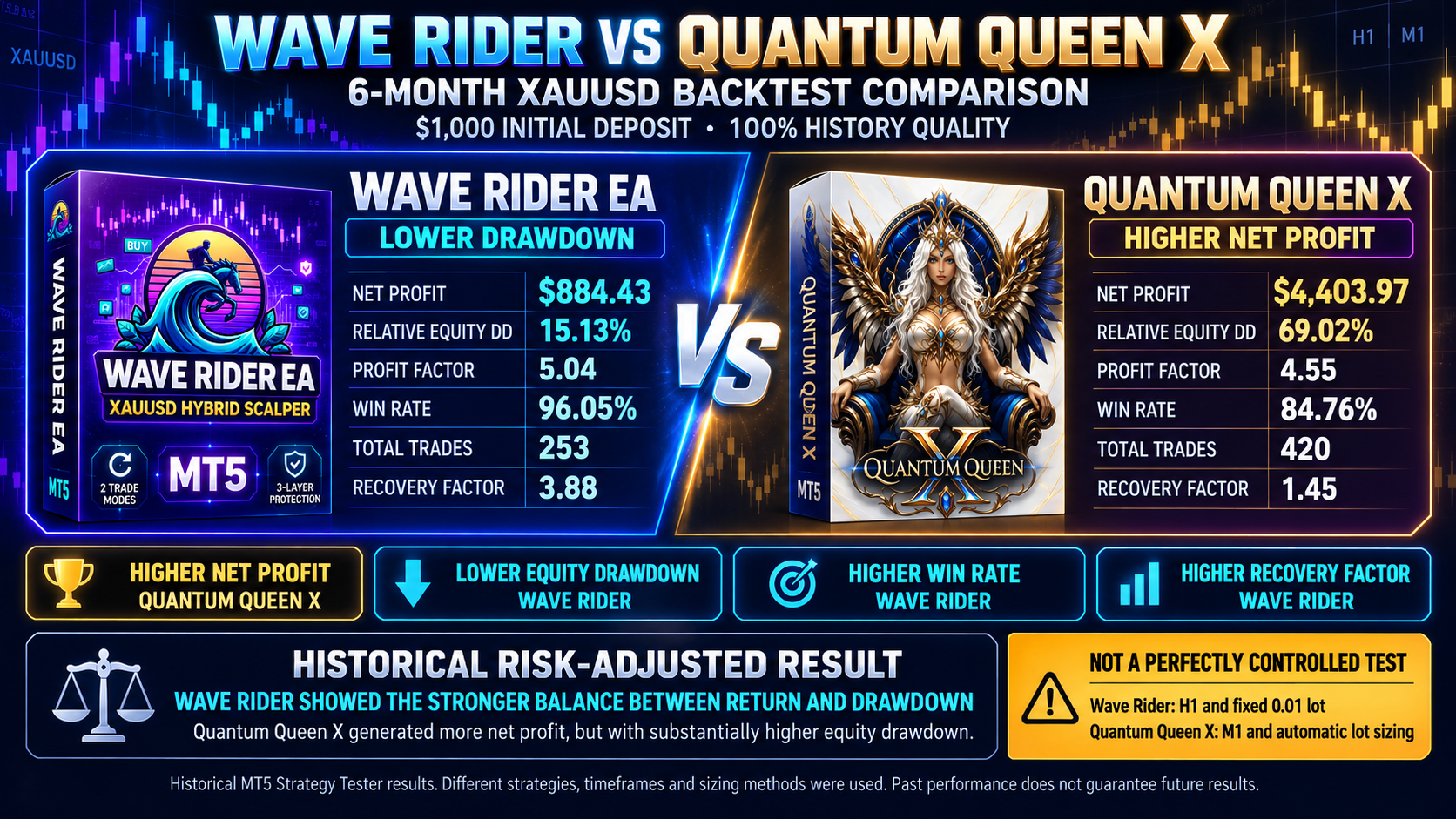
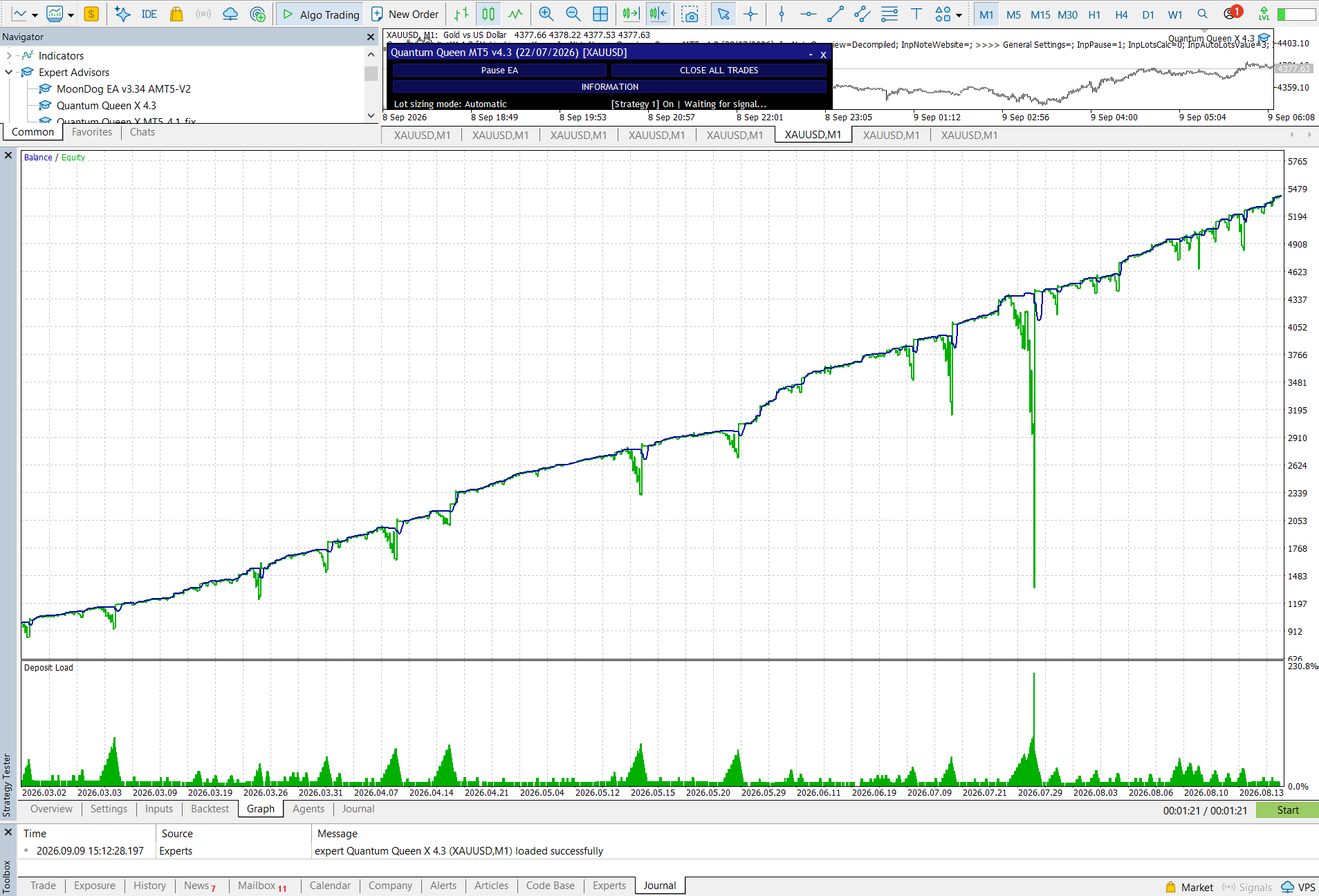
We also compared the supplied six-month Wave Rider report with a Quantum Queen X report covering a six-month XAUUSD period. Both displayed a $1,000 initial deposit and 100% history quality, but their recorded bar and tick counts were different.
| Six-Month Metric | Wave Rider | Quantum Queen X |
|---|---|---|
| Net Profit | $884.43 | $4,403.97 |
| Relative Equity Drawdown | 15.13% | 69.02% |
| Profit Factor | 5.04 | 4.55 |
| Win Rate | 96.05% | 84.76% |
| Total Trades | 253 | 420 |
| Recovery Factor | 3.88 | 1.45 |
Quantum Queen X generated the higher historical net profit and completed more trades. Wave Rider recorded considerably lower relative equity drawdown, a higher win rate, a higher profit factor and a stronger recovery factor. Based only on these two supplied reports, Wave Rider produced the stronger risk-adjusted historical result.

Installation, Settings and Trading Environment
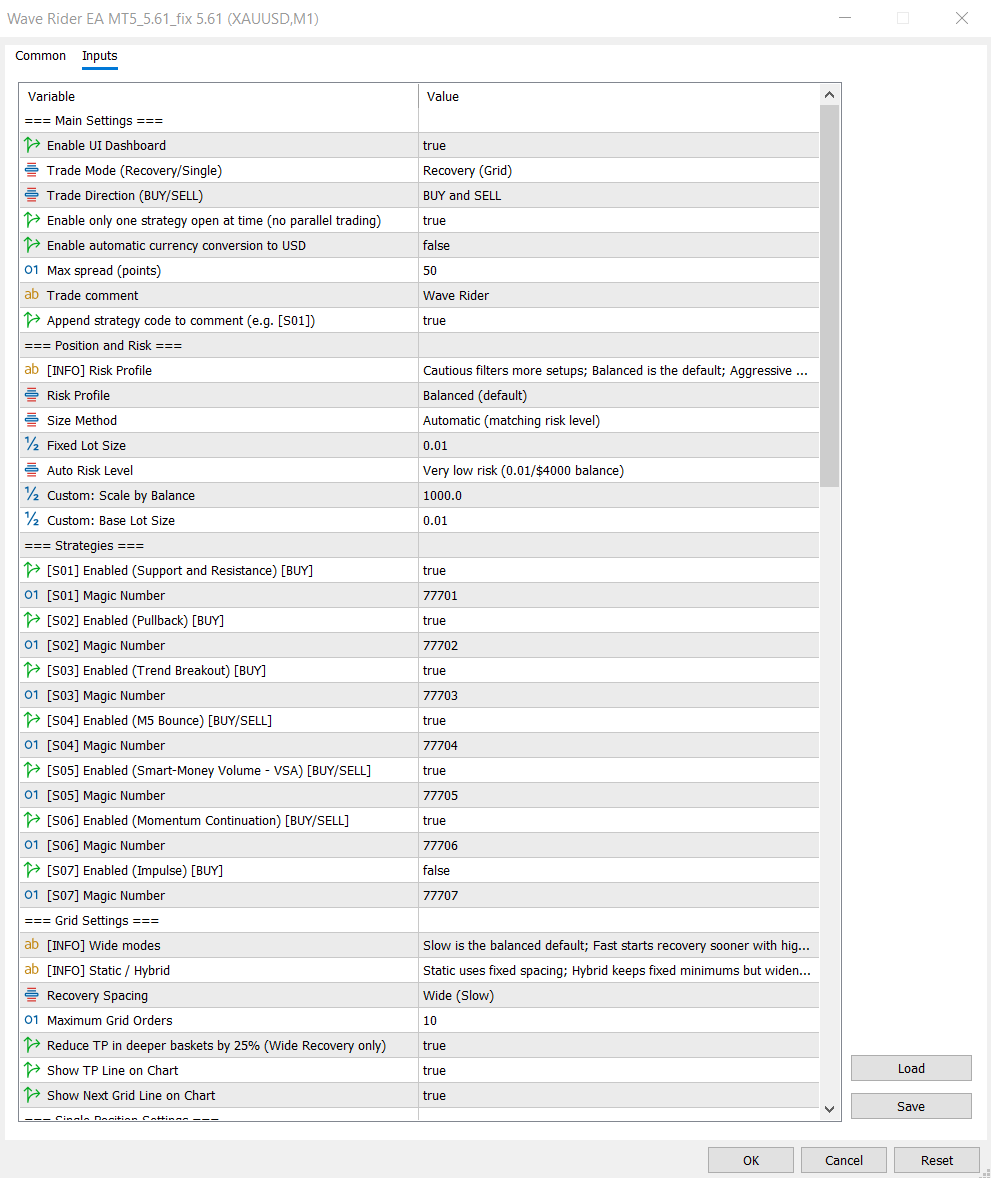
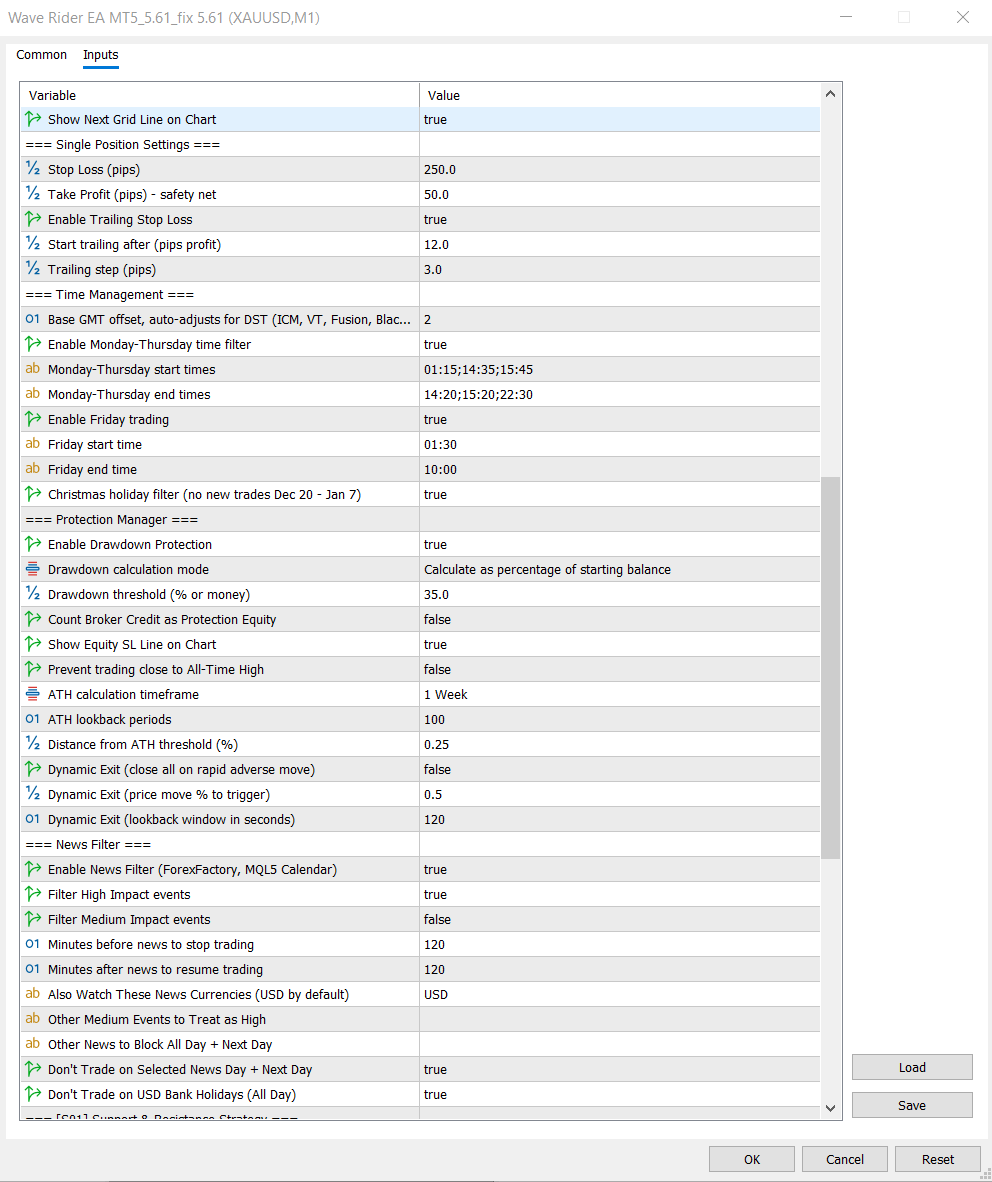
Install Wave Rider through MetaTrader 5, attach it to an XAUUSD chart and review every input before enabling automated trading. Although the strategies use internal timeframes, broker symbol specifications, account type, spread and execution quality can still affect operation.
Recommended Environment
- XAUUSD on a MetaTrader 5 hedging account.
- Stable 24/5 connection or a suitable trading VPS.
- Real-tick demo testing with realistic spreads and commissions.
First Steps
- Choose Recovery Grid or Single Position mode deliberately.
- Confirm lot sizing, entry profile and protection thresholds.
- Start on demo and monitor behaviour before considering live use.
Watch the Wave Rider Setup Guide
Use this walkthrough alongside the current product documentation. Settings can change between versions, so confirm that the guide matches the build installed in your MetaTrader 5 terminal.
Pros
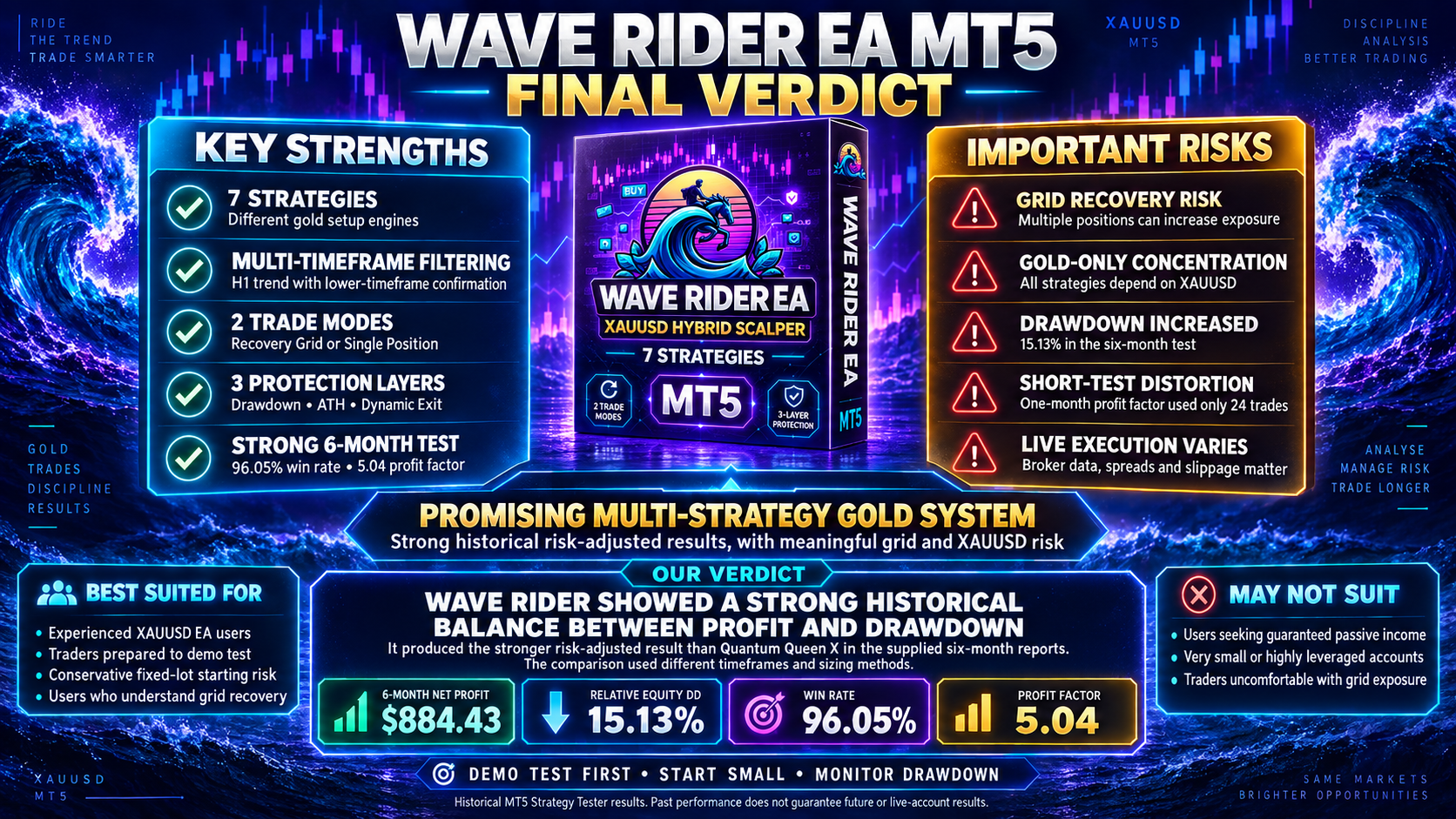
- Seven strategy engines cover several types of gold setup.
- H1 trend context with lower-timeframe confirmation.
- Choice between grid recovery and single-position management.
- Drawdown, ATH, dynamic-exit and news controls are included.
Cons
- Recovery Grid mode can increase position count and account exposure.
- All strategies depend on the same XAUUSD market.
- The supplied backtests cannot reproduce every live execution condition.
- Updates may require settings and preset files to be checked again.
Who Is Wave Rider EA Best For?
Wave Rider may suit experienced XAUUSD EA users who want several entry engines in one system, understand the difference between grid and single-position risk, and are prepared to test conservative settings on their own broker before trading live.
Frequently Asked Questions
What market and platform does Wave Rider use?
Wave Rider is designed for XAUUSD gold on MetaTrader 5.
Does Wave Rider use grid trading?
Its default Recovery mode uses grid-style basket management and may add positions when price moves adversely. Users can instead select Single Position mode, which disables the recovery layers.
What is the difference between the two trade modes?
Recovery Grid can manage several positions as a basket. Single Position mode manages one trade with fixed Stop Loss, fixed Take Profit and trailing protection. Their exposure and drawdown behaviour can differ substantially.
Does the 96.05% six-month win rate guarantee future results?
No. It is a historical result from one supplied MT5 backtest. Live results can change because of market conditions, broker data, spreads, commissions, slippage, execution and settings.
Final Verdict
Wave Rider is a promising multi-strategy gold system with a broad entry toolkit, two clearly different management modes and several configurable protection features. In the supplied six-month test it recorded $884.43 net profit, 15.13% relative equity drawdown, a 96.05% win rate and a 5.04 profit factor from a $1,000 initial deposit.
It also produced the stronger risk-adjusted historical result than Quantum Queen X in the supplied reports, while Quantum Queen X produced the higher net profit. That comparison used different timeframes and sizing methods, so it should not be treated as proof that Wave Rider will outperform in future or live trading.
Explore Wave Rider EA MT5
Review the current product information, version details and available resources before choosing a configuration. Demo test first, begin with a conservative lot size and monitor basket exposure and drawdown.
Risk Disclaimer
Trading XAUUSD, foreign exchange and CFDs involves substantial financial risk and may not be suitable for every trader. Losing trades, extended baskets, drawdowns, gaps and execution problems can occur. Backtests are historical simulations and are not guarantees of future or live-account performance. Spreads, commissions, slippage, broker execution, account specifications, data quality and settings can materially change results. Use demo testing and position sizes you can afford to risk. Nothing in this review is financial advice.